
01
Your data stays with you
The model runs on your Tecology server. Searches and online connectors use the services you authorize.
Chat, create files, write code and prepare your day. Tarqyn turns a local model into a complete assistant. Initially, the AI is included free of charge, only with Tecology servers.
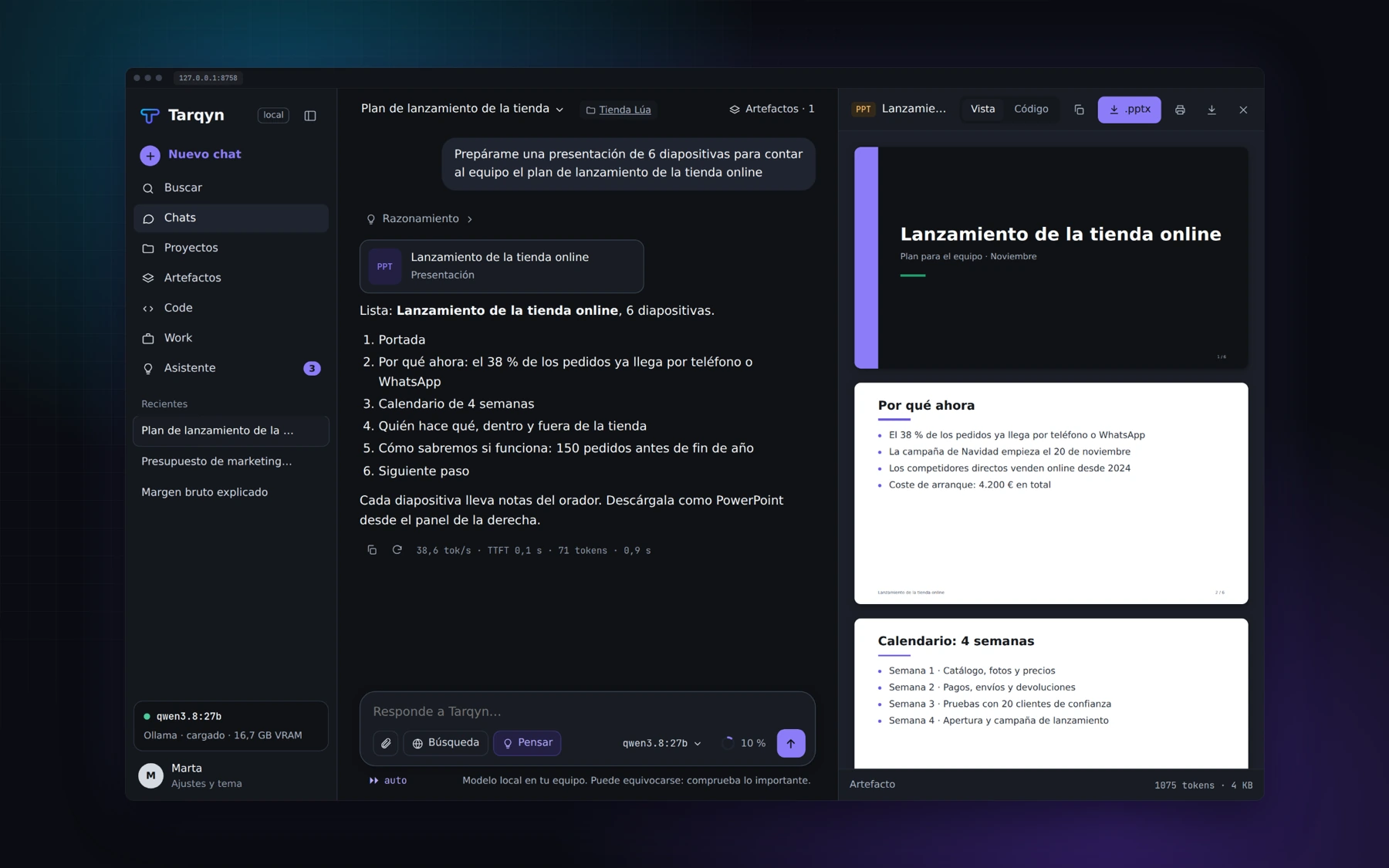
One model. The tools you need for each task.
Go from a question to an editable document, presentation or spreadsheet.
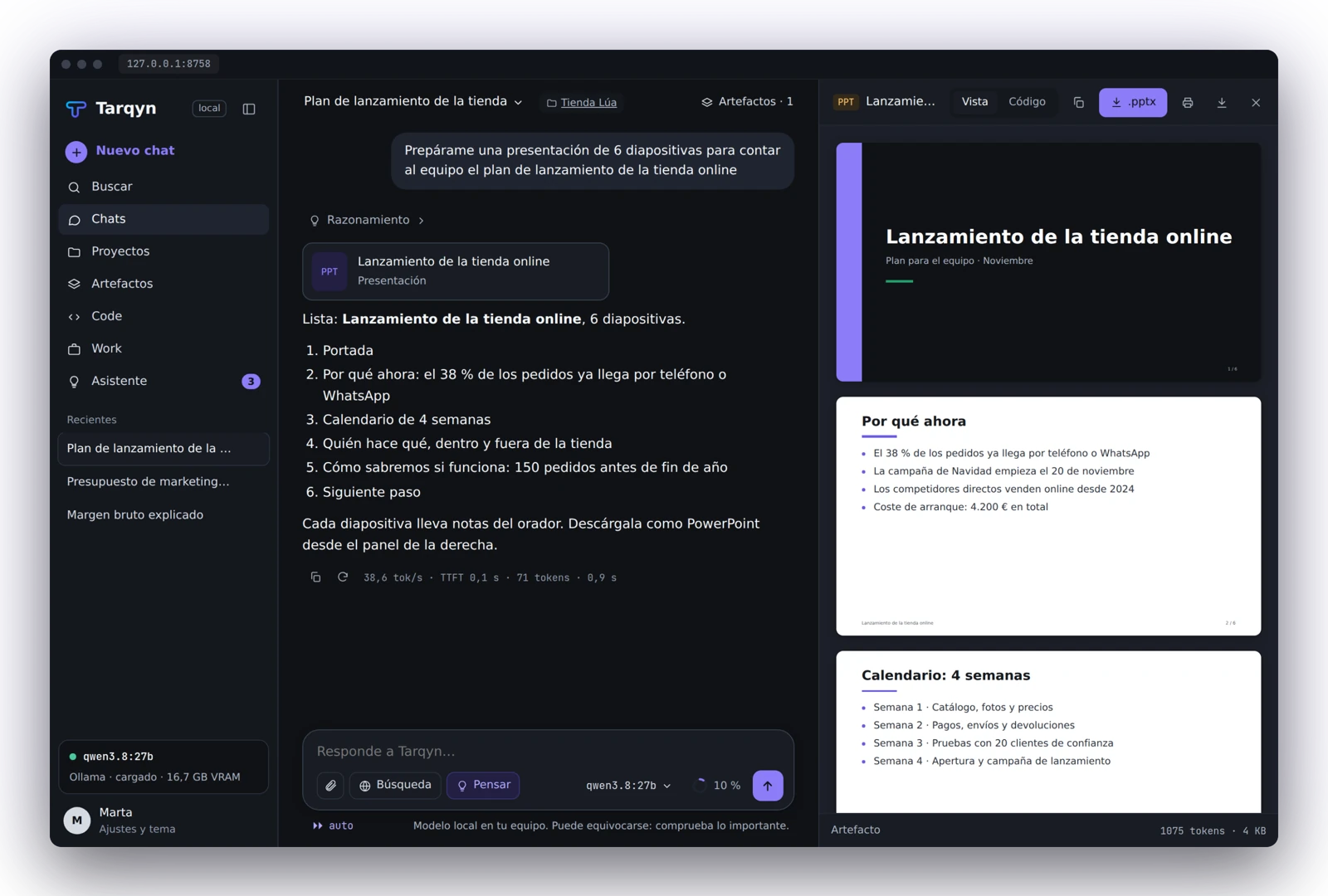
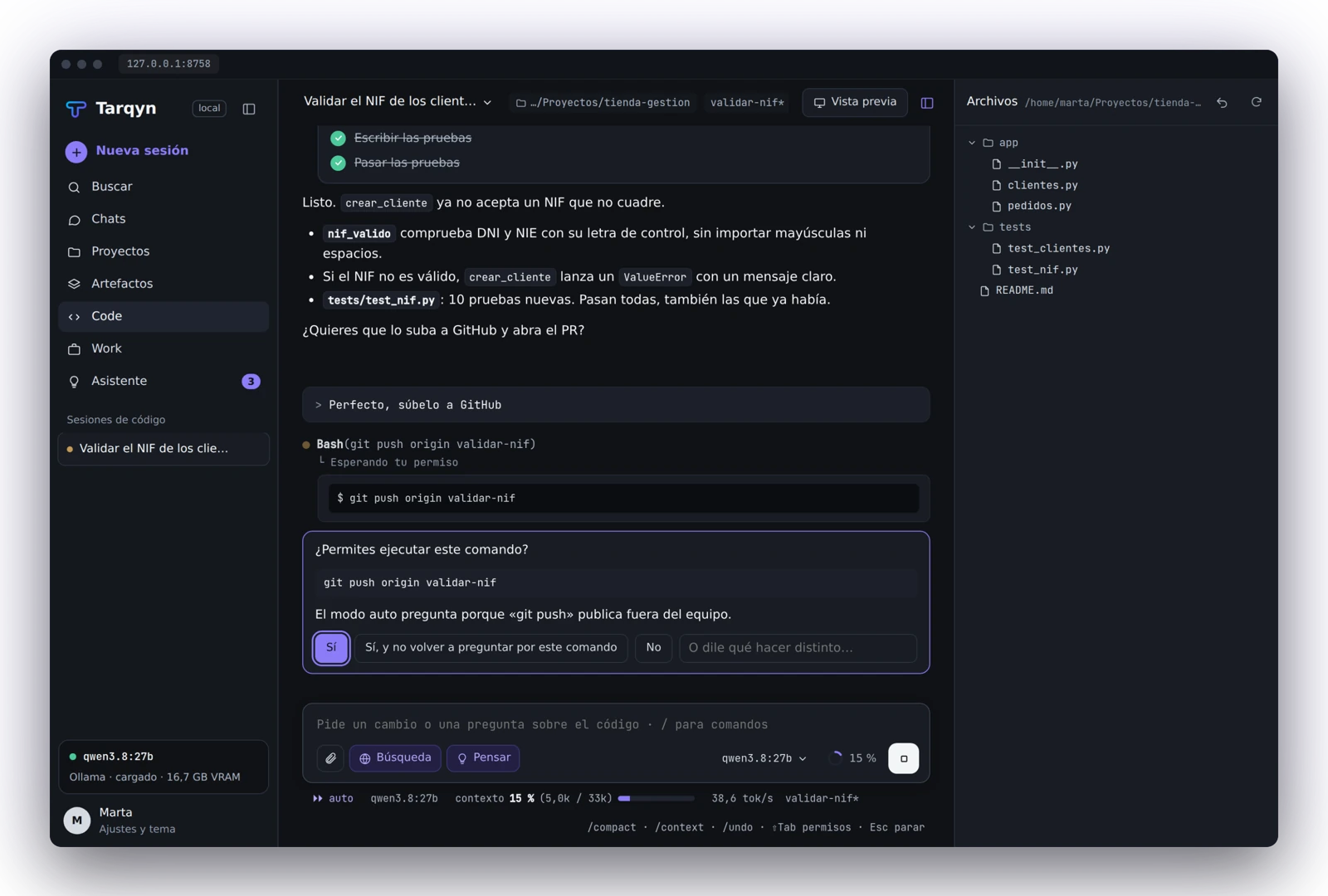
It reads your project, edits files and runs tests. Review every change and undo it.
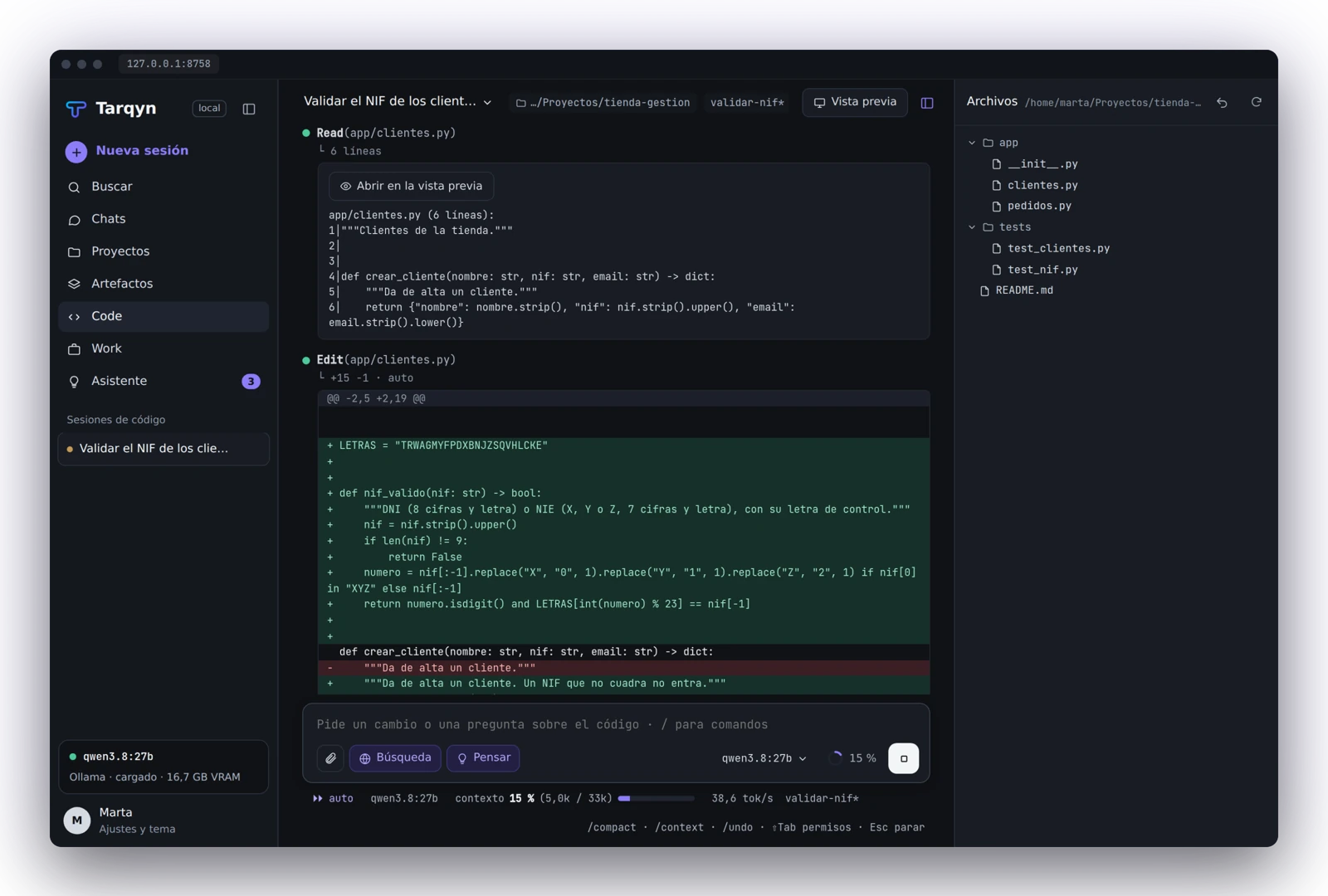
Delegate a long task. Tarqyn plans it, follows the steps and leaves the files in a folder.
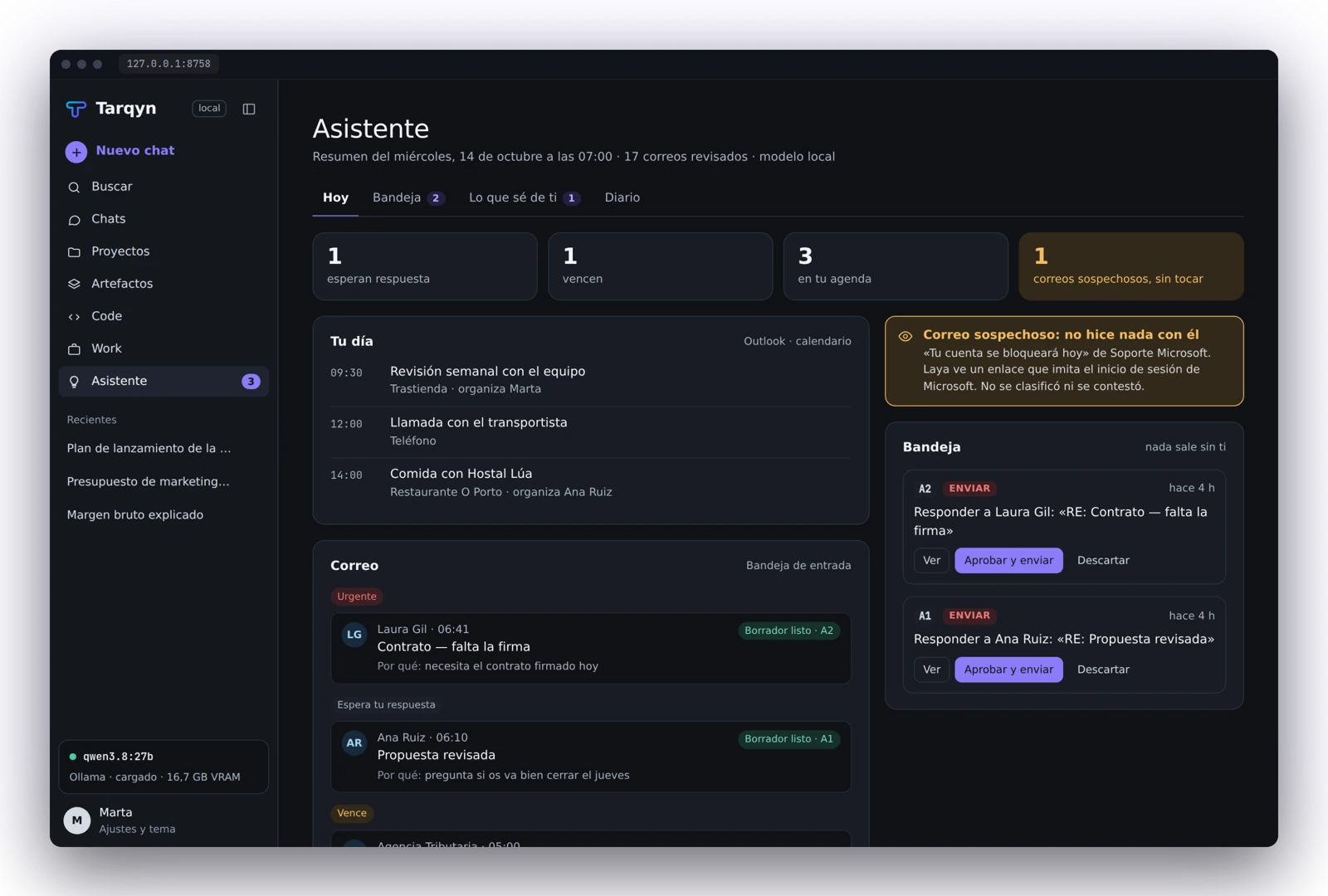
Reads your calendar and email, organizes urgent items and drafts replies in Outlook. You approve sending.
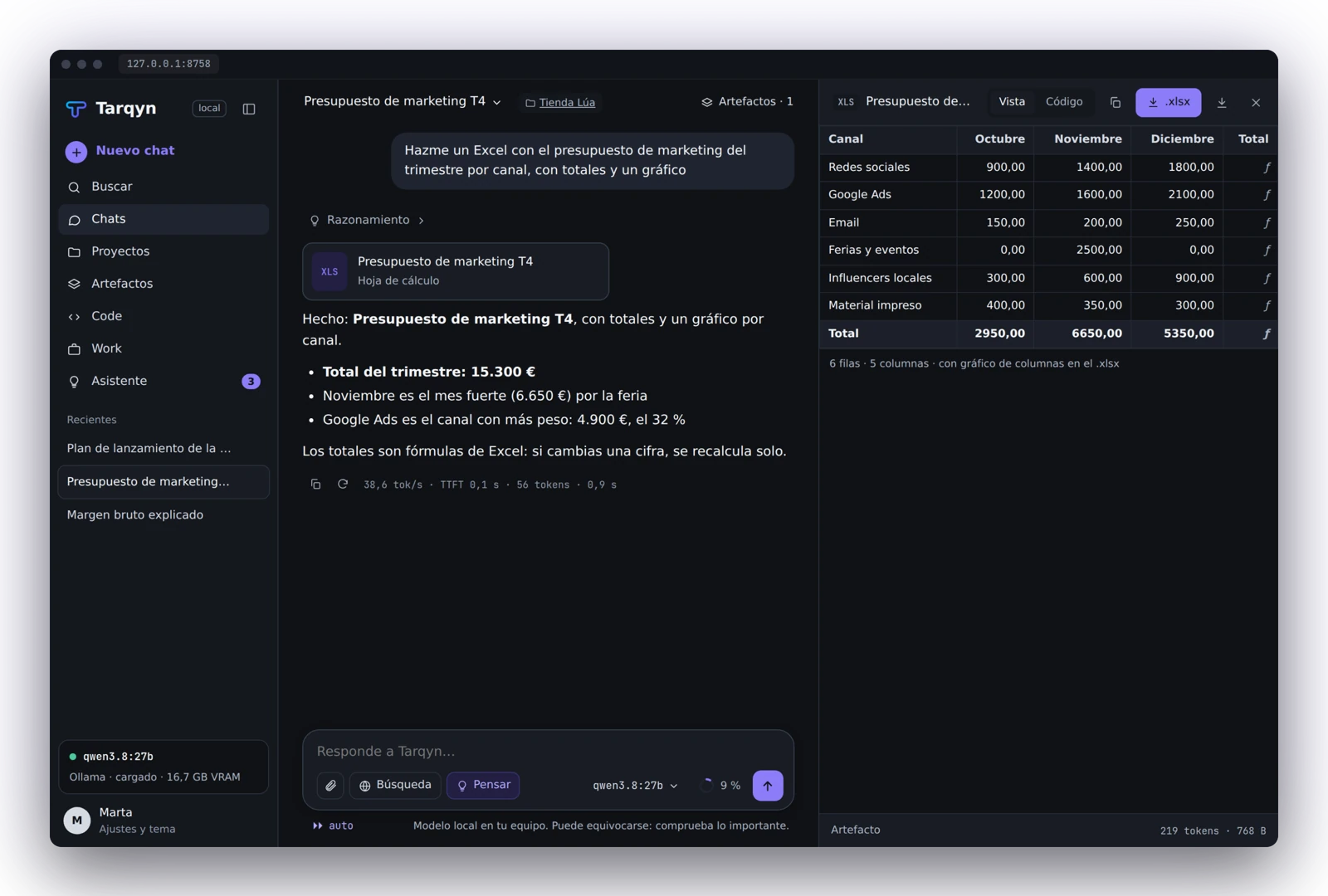
A spreadsheet with totals. A presentation with notes. A report ready for review. It opens next to the conversation, ready to download and continue working.
Local image generation requires an optional component.
Your calendar organized. Urgent items in sight. Replies drafted. With classic Outlook on your PC.
Reviews email and calendar at your chosen time.
Leaves replies ready in Outlook.
Nothing goes out without you.
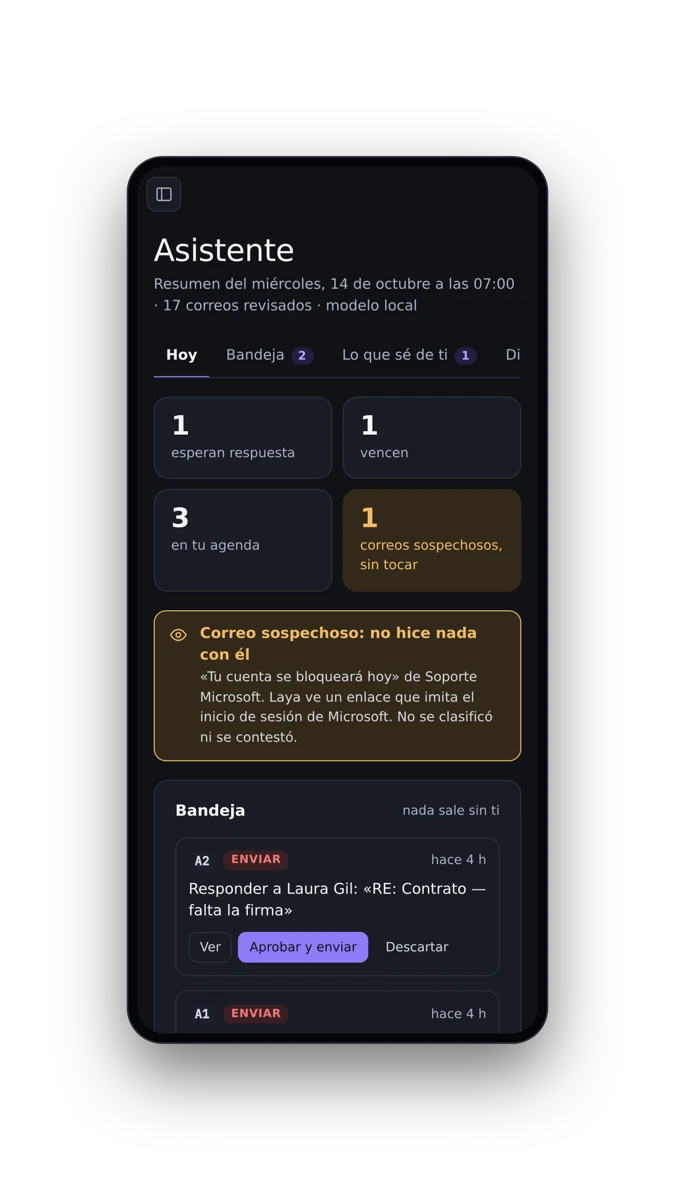
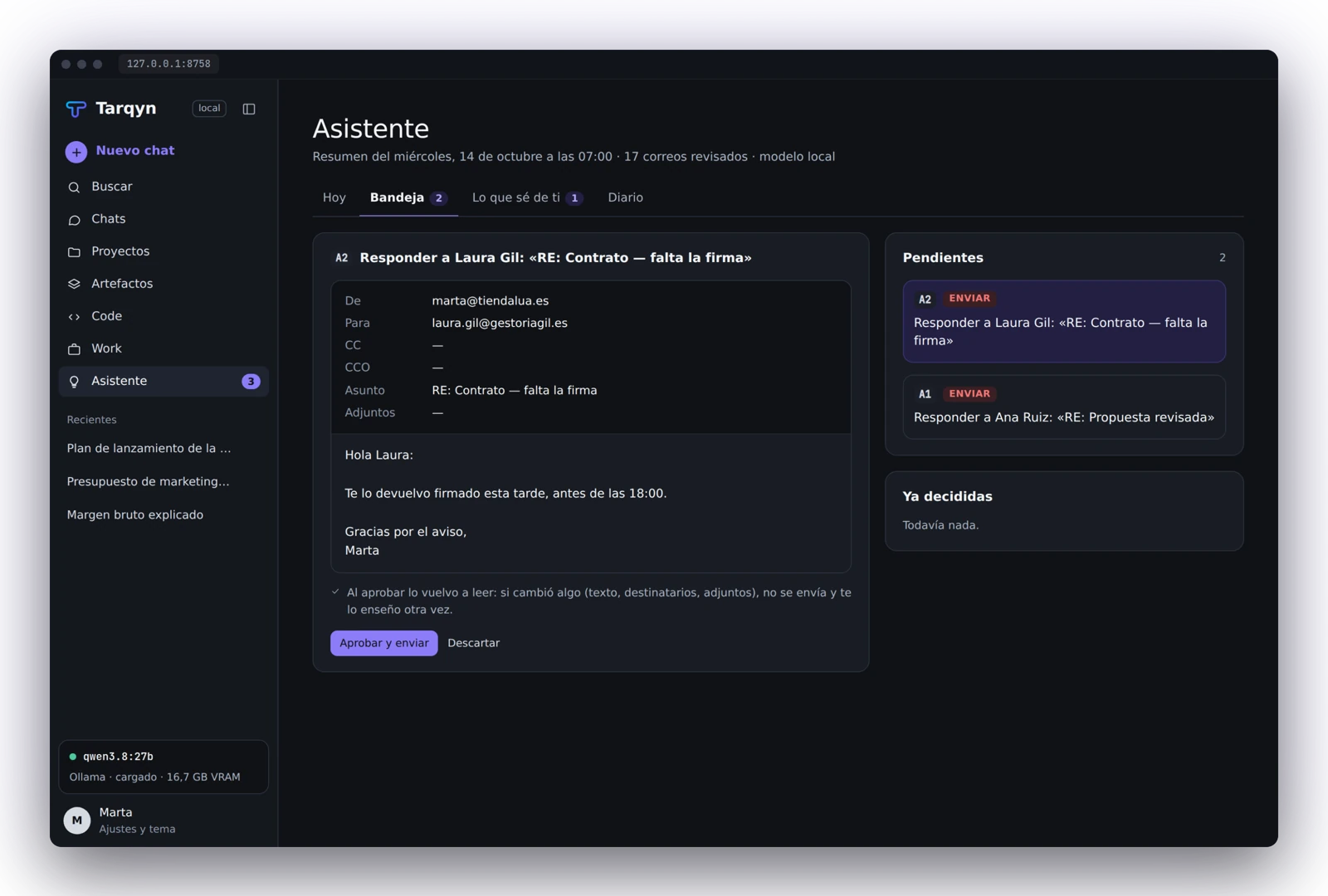
Product screenshots with sample data. Mobile approval: coming soon.
The model runs on your Tecology server. Searches and online connectors use the services you authorize.
Tarqyn is included free of charge with Tecology servers. No per-message charges for the local model.
See the model, context and speed. Know what it uses and how much it remembers.
Presentations, spreadsheets, documents and code. Ready to download and edit.
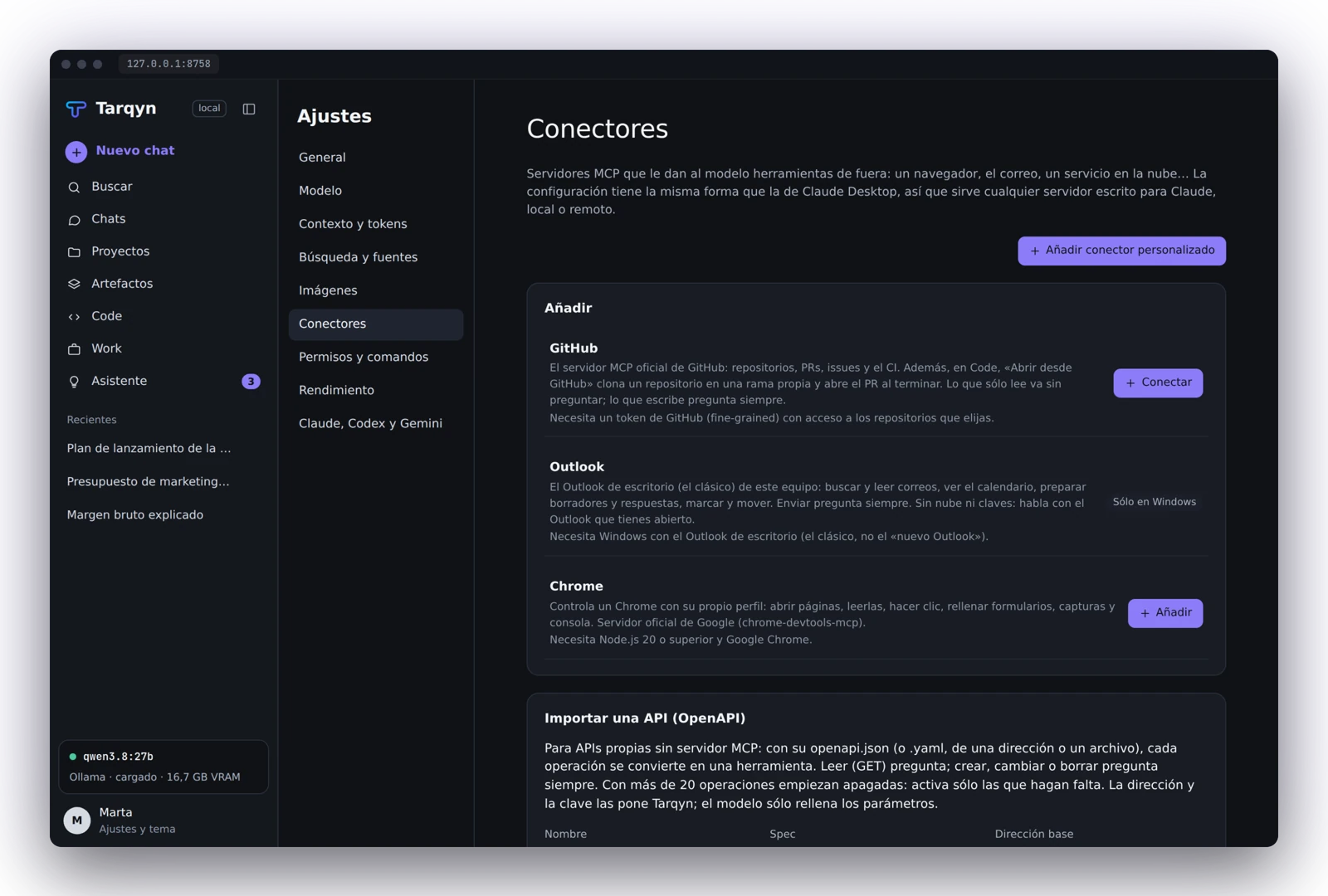
Classic Outlook, Chrome and GitHub. Configurable MCP connectors and OpenAPI APIs.
Initially available only with Tecology servers. Tell us what your team needs.
It can read, edit and test safe actions. Before publishing, deleting or sending email, it asks permission and explains why.
One server shares the model. Each person joins with an invitation and works in an isolated workspace, with limits and measured usage.
Explore Tarqyn Enterprise →Illustrative workspace layout. It does not represent real customers or activity.
What you want to solve, which tools you use and how many people need access.
A configuration suited to your tasks and AI model.
The AI is included free of charge with the server.
Let’s discuss the solutions you want to develop with Tarqyn.
Initially, Tarqyn is available exclusively with Tecology servers. The AI is included free of charge with the server. Contact us to explore the options.
Tarqyn AI is included at no additional cost with Tecology servers during this initial stage. The server is purchased separately; this offer does not mean the hardware is free.
The model processes conversations and files on the Tecology server configured for your team. Web searches and online connectors exchange data with the services you authorize.
The model can perform local tasks without connecting to external AI services. Web searches, online connectors and remote server access need the relevant connectivity.
The configuration depends on the model, tasks and number of users. Tell us how you want to use Tarqyn so we can help you choose a Tecology server.
Yes. If you want to connect your tools, data or processes to Tarqyn, contact us and tell us about the solution you would like to develop. Tarqyn supports MCP connectors and OpenAPI APIs.
Connect your tools, data and processes to an AI that works on your Tecology server. Tell us your idea and let’s discuss the solution you want to develop.
Tarqyn included free of charge. Let’s talk about what you want to do.